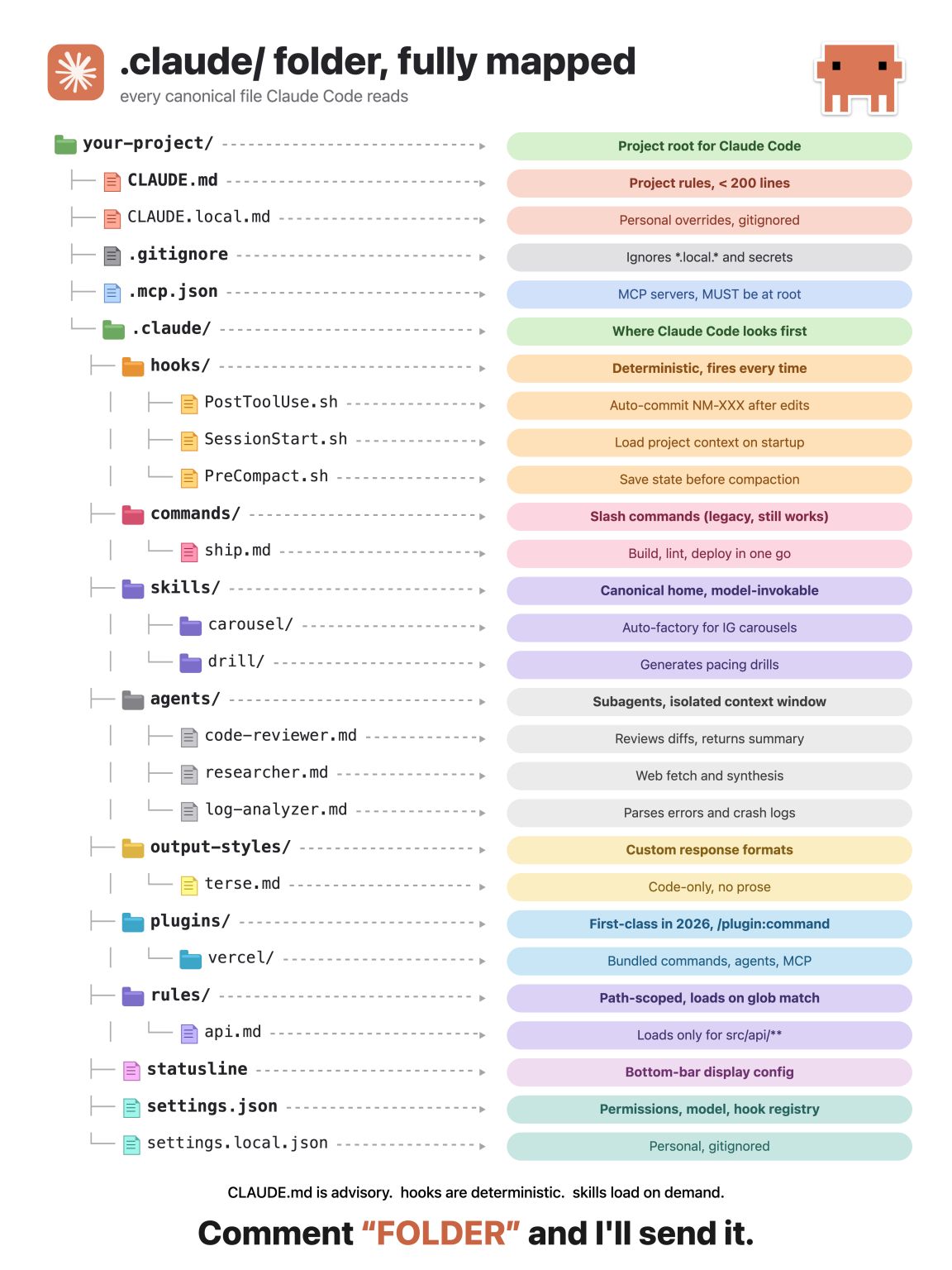

If you're using Claude Code without setting up .claude folder, you're using 10% of it.
The .claude folder is where Claude Code actually lives.
Everything you wish Claude Code did out of the box is sitting inside this folder. Most vibe coders never open it. They install Claude Code, run a few prompts, hit a wall, and assume that's the ceiling.
It's not.
Instead have these canonical files that Claude Code reads:
CLAUDE.md → Your project rulebook. Coding style, conventions, gotchas. Claude reads it before every task so you stop repeating yourself in every prompt. Advisory, not enforced.
.claude/hooks/ → Deterministic. Fires every single time. Auto-commit after edits, load project context on startup, save state before compaction. Claude doesn't get to skip these.
.claude/skills/ → Drop a SKILL.md inside any folder and Claude knows exactly when to invoke it. I have one for carousel generation, one for pacing drills. Claude picks the right one based on the task.
.claude/agents/ → Subagents with their own isolated context window. Code reviewer, researcher, log analyzer. They run in parallel and report back. Your main thread stays clean.
.claude/commands/ → Slash commands. Legacy but still works. Build a /ship command that lints, builds, and deploys in one go.
.claude/plugins/ → First-class in 2026. Bundle hooks, skills, agents, and MCP servers into one shareable package. This is the real unlock.
.claude/rules/ → Path-scoped. Loads only when files match a glob. So your API rules don't pollute your frontend work.
.mcp.json → Sits at the project root, not inside .claude. MCP servers your project uses. Claude connects them automatically.
The pattern most people miss: CLAUDE.md is advisory. Hooks are deterministic. Skills load on demand.
That's the whole mental model.
Once you understand which file does what, Claude Code stops feeling like another normal chatbot and starts feeling like a 10X developer.
Resource link: https://resources.leadgenman.com/ClaudeFolderSetup
Over to you: Do you have hooks set up in your .claude folder
#ClaudeCode #DeveloperTools #CodeOptimization #ProgrammingEfficiency #TechTips
The .claude folder is where Claude Code actually lives.
Everything you wish Claude Code did out of the box is sitting inside this folder. Most vibe coders never open it. They install Claude Code, run a few prompts, hit a wall, and assume that's the ceiling.
It's not.
Instead have these canonical files that Claude Code reads:
CLAUDE.md → Your project rulebook. Coding style, conventions, gotchas. Claude reads it before every task so you stop repeating yourself in every prompt. Advisory, not enforced.
.claude/hooks/ → Deterministic. Fires every single time. Auto-commit after edits, load project context on startup, save state before compaction. Claude doesn't get to skip these.
.claude/skills/ → Drop a SKILL.md inside any folder and Claude knows exactly when to invoke it. I have one for carousel generation, one for pacing drills. Claude picks the right one based on the task.
.claude/agents/ → Subagents with their own isolated context window. Code reviewer, researcher, log analyzer. They run in parallel and report back. Your main thread stays clean.
.claude/commands/ → Slash commands. Legacy but still works. Build a /ship command that lints, builds, and deploys in one go.
.claude/plugins/ → First-class in 2026. Bundle hooks, skills, agents, and MCP servers into one shareable package. This is the real unlock.
.claude/rules/ → Path-scoped. Loads only when files match a glob. So your API rules don't pollute your frontend work.
.mcp.json → Sits at the project root, not inside .claude. MCP servers your project uses. Claude connects them automatically.
The pattern most people miss: CLAUDE.md is advisory. Hooks are deterministic. Skills load on demand.
That's the whole mental model.
Once you understand which file does what, Claude Code stops feeling like another normal chatbot and starts feeling like a 10X developer.
Resource link: https://resources.leadgenman.com/ClaudeFolderSetup
Over to you: Do you have hooks set up in your .claude folder
#ClaudeCode #DeveloperTools #CodeOptimization #ProgrammingEfficiency #TechTips
Shared byMicah Reid - 23 days ago
Log in to comment
Loading ..
Related Articles
Dispelling Myths: Real Working Claude Skills You Can Use Now
7-Day Checklist to Master Claude and Automate Your Workflow
Stay Unmatched: Mastering AI Era Tactics to Keep Your Edge

1000 Hours of Learning: Essential Guides for Mastering Claude
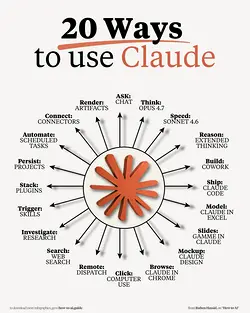
20 Innovative Ways to Use Claude in 2026 for Enhanced Productivity
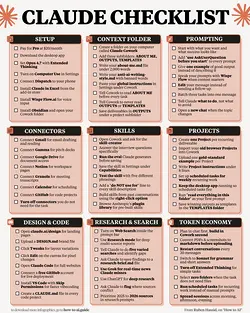
Mastering Claude: A Comprehensive 1-Page Checklist for Optimal Use
1417
0/100