
You're using Claude wrong (again).
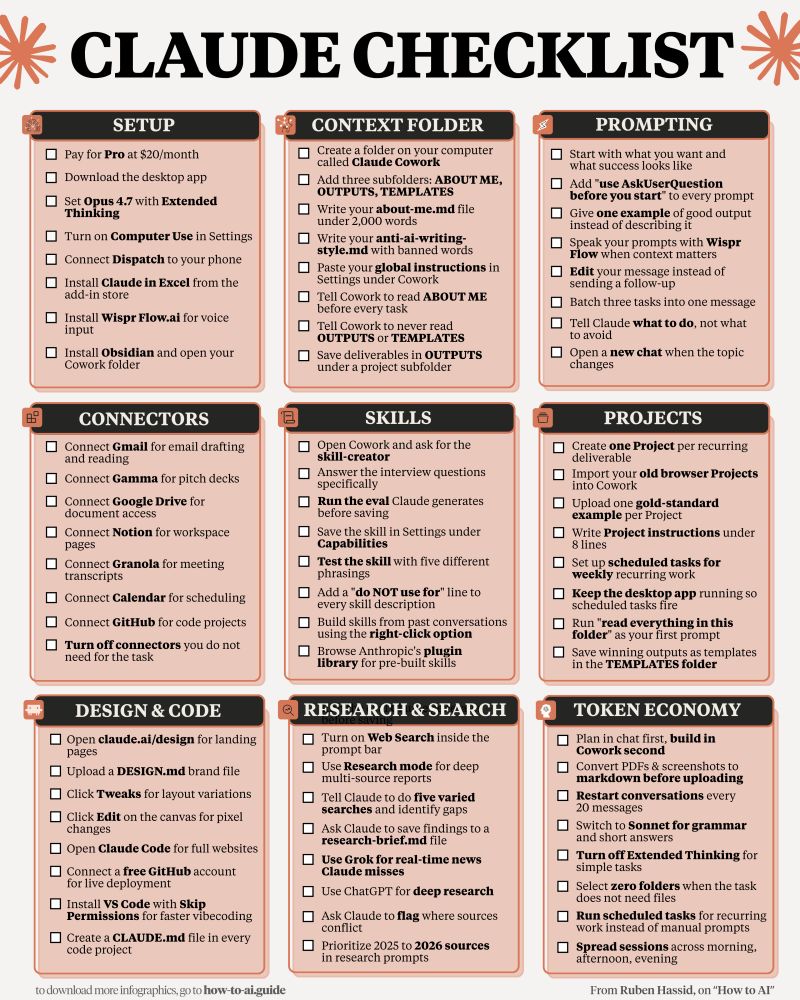
Here's the 1-page checklist that fixes everything:
1. Save this image. It's 9 sections, 81 checkboxes.
2. Print it. Pin it next to your screen.
3. To copy my exact setup: how-to-ai.guide
4. Don't pay anything. It's free in the welcome email.
---
1. Setup (the foundation).
☑ Pay for Pro at $20/month. Worth every cent.
☑ Download the desktop app. Not the browser.
☑ Opus 4.7 with Adaptive Thinking for complex task
☑ Claude 101: https://ruben.substack.com/p/claude-for-dummies
2. Build your Context Folder.
☑ Create a folder called "Claude Cowork" on Mac.
☑ Add 3 subfolders: About me, Outputs, Templates.
☑ Write your about-me .md under 2,000 words.
☑ Master Claude Cowork: claude-co.work
3. Prompt like the top 1%.
☑ State what you want & what success looks like.
☑ Prompt "Use AskUserQuestion before you start."
☑ Edit messages instead of sending a follow-up.
☑ Better prompting: https://ruben.substack.com/p/stop-prompting-claude
4. Connect your tools.
☑ Settings → Connectors → Browse → click "Add."
☑ Gmail, Drive, Slack, Notion, Granola, Gamma.
☑ Turn off connectors you don't need for the task.
☑ Claude 101: how-to-claude.ai
5. Create Skills with /commands.
☑ Add: "Use skill-creator to build a skill for [task]."
☑ Claude interviews you. Generates. You upload it.
☑ Add "do NOT use for" to every skill description.
☑ Build your first Skill: claude-skills.free
6. Run Projects with memory.
☑ Create one Project per recurring deliverable.
☑ Upload one gold-standard example per Project.
☑ Save winning outputs as templates in a folder.
☑ Cowork + Projects: https://ruben.substack.com/p/claude-cowork-project
7. Design & Code without designers.
☑ Open claude .ai/design for landing pages.
☑ Upload a DESIGN .md brand file.
☑ Connect a free GitHub account for deployment.
☑ Claude Design 101: claudedesign.free
8. Research like a pro.
☑ Turn on Web Search inside the prompt bar.
☑ Ask it to do 5 varied searches & identify gaps.
☑ Use Grok for real-time news Claude misses.
☑ Start here: https://ruben.substack.com/p/grok-420
9. Master the token economy.
☑ Plan in chat first. Build in Cowork second.
☑ Convert PDFs & screenshots to markdown format
☑ Restart conversations every 20 messages.
☑ Stop hitting limits: https://ruben.substack.com/p/how-to-stop-hitting-claude-usage
♻️ Repost this to help someone stop using Claude wrong.
#ClaudeAI #AIsetup #AIprompting #productivitytools #efficientAI
Here's the 1-page checklist that fixes everything:
1. Save this image. It's 9 sections, 81 checkboxes.
2. Print it. Pin it next to your screen.
3. To copy my exact setup: how-to-ai.guide
4. Don't pay anything. It's free in the welcome email.
---
1. Setup (the foundation).
☑ Pay for Pro at $20/month. Worth every cent.
☑ Download the desktop app. Not the browser.
☑ Opus 4.7 with Adaptive Thinking for complex task
☑ Claude 101: https://ruben.substack.com/p/claude-for-dummies
2. Build your Context Folder.
☑ Create a folder called "Claude Cowork" on Mac.
☑ Add 3 subfolders: About me, Outputs, Templates.
☑ Write your about-me .md under 2,000 words.
☑ Master Claude Cowork: claude-co.work
3. Prompt like the top 1%.
☑ State what you want & what success looks like.
☑ Prompt "Use AskUserQuestion before you start."
☑ Edit messages instead of sending a follow-up.
☑ Better prompting: https://ruben.substack.com/p/stop-prompting-claude
4. Connect your tools.
☑ Settings → Connectors → Browse → click "Add."
☑ Gmail, Drive, Slack, Notion, Granola, Gamma.
☑ Turn off connectors you don't need for the task.
☑ Claude 101: how-to-claude.ai
5. Create Skills with /commands.
☑ Add: "Use skill-creator to build a skill for [task]."
☑ Claude interviews you. Generates. You upload it.
☑ Add "do NOT use for" to every skill description.
☑ Build your first Skill: claude-skills.free
6. Run Projects with memory.
☑ Create one Project per recurring deliverable.
☑ Upload one gold-standard example per Project.
☑ Save winning outputs as templates in a folder.
☑ Cowork + Projects: https://ruben.substack.com/p/claude-cowork-project
7. Design & Code without designers.
☑ Open claude .ai/design for landing pages.
☑ Upload a DESIGN .md brand file.
☑ Connect a free GitHub account for deployment.
☑ Claude Design 101: claudedesign.free
8. Research like a pro.
☑ Turn on Web Search inside the prompt bar.
☑ Ask it to do 5 varied searches & identify gaps.
☑ Use Grok for real-time news Claude misses.
☑ Start here: https://ruben.substack.com/p/grok-420
9. Master the token economy.
☑ Plan in chat first. Build in Cowork second.
☑ Convert PDFs & screenshots to markdown format
☑ Restart conversations every 20 messages.
☑ Stop hitting limits: https://ruben.substack.com/p/how-to-stop-hitting-claude-usage
♻️ Repost this to help someone stop using Claude wrong.
#ClaudeAI #AIsetup #AIprompting #productivitytools #efficientAI
Shared byShawn Nguyen - 8 days ago
Log in to comment
Loading ..
Related Articles
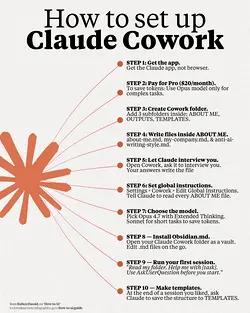
Maximize Your Cowork Setup with These Easy Steps
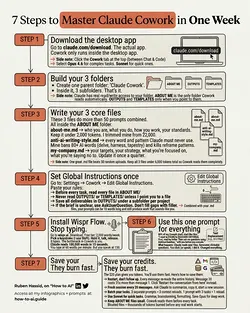
Quick Setup Guide for Claude Cowork: Organize and Optimize in Minutes
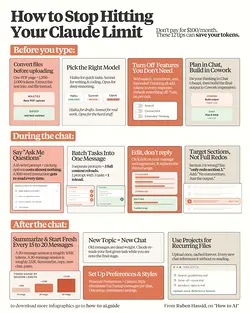
Save on Claude Max Plan: 12 Token-Saving Hacks
Beyond the LLM: The 7 Steps to Build a Reliable AI Agent
Top AI Tool Stack of 2026: Must-Haves for Assistants, Developers, and More
Mastering AI Efficiency: The Top 1%'s Secret 8-File Setup
2651
0/100